Better Snowflake Data ROI Through Fuzzy Matching Across SQL Tables
Modern data warehouses often contain thousands or millions of records representing customers, companies, suppliers, prospects, patients, locations, addresses, accounts, transactions, and operational entities. Even when this data is centralized in Snowflake, it may still contain inconsistent names, duplicate records, spelling variations, alternate abbreviations, formatting differences, incomplete addresses, and entity references that are difficult to make consistent through ordinary SQL joins.
Traditional SQL matching depends on exact values. That works when two fields are identical, but it misses the real-world variations that appear across operational systems, CRM platforms, billing data, partner feeds, acquired company datasets, marketing lists, and customer databases. A company may appear as IBM, International Business Machines, and IBM Corp.. A customer or address may appear in multiple similar forms. A supplier may be represented differently across regions or source systems.
This is where fuzzy matching becomes valuable. By using Interzoid's similarity algorithms directly with Snowflake data, organizations can discover matching clusters of records that exact SQL comparisons would normally miss. The result is better data quality, better analytics, better consolidation, better AI-readiness, and better return on the data already stored in Snowflake.
Launch Snowflake Data Matching Wizard | Get an API Key | View API Directory | Read Documentation
Why Snowflake Data ROI Depends on Entity Resolution
Snowflake can store, process, and analyze massive volumes of structured data. But if the same real-world entity is represented in many different ways, the organization may still struggle to answer basic business questions with confidence. Duplicate and inconsistent records can distort dashboards, inflate customer counts, weaken marketing segmentation, obscure supplier concentration, reduce the accuracy of customer 360 initiatives, and create a weak foundation for AI workflows.
Improving data ROI is not only about storing more data or running faster queries. It is about making existing data more useful. When records can be matched and grouped more accurately, Snowflake data becomes more actionable across analytics, operations, revenue teams, data science, compliance, and enterprise automation.
| Snowflake Data Challenge | Business Impact | How Fuzzy Matching Helps |
|---|---|---|
| Duplicate customer or account records | Inflated counts and fragmented relationship views | Groups similar entity names into matching clusters |
| Different spellings and abbreviations | Missed joins, incomplete analytics, and inconsistent reporting | Detects likely matches even when values are not identical |
| Multiple source systems feeding Snowflake | Harder consolidation after migrations, acquisitions, or integrations | Makes related records more consistent across tables and datasets |
| Inconsistent address or person data | Reduced confidence in segmentation, routing, compliance, and operations | Applies address, individual name, and combined matching functions |
| AI initiatives built on fragmented data | Unreliable context, incomplete retrieval, and weaker automation | Creates cleaner entity groupings for downstream AI-ready data workflows |
Fuzzy Matching Within Snowflake SQL Tables
One common use case is matching records within a single Snowflake table. For example, a table may contain customer accounts where the same organization appears multiple times under different spellings, abbreviations, or naming conventions. Instead of writing complex one-off SQL comparison logic, users can select a Snowflake table, choose the appropriate matching column, and generate a report of matching clusters.
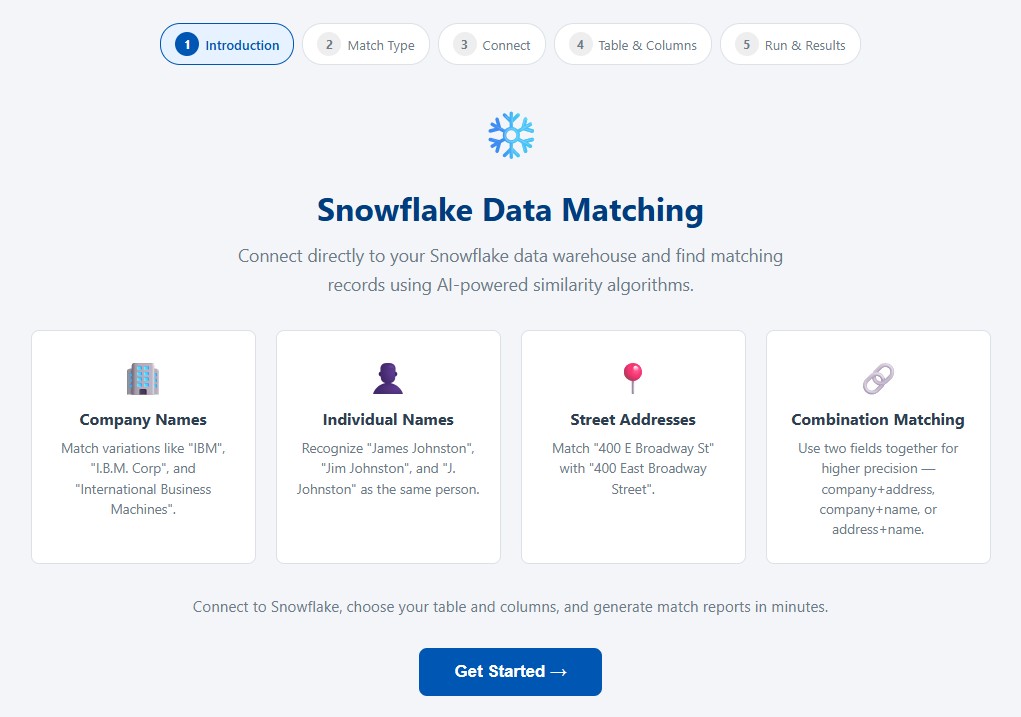
The Snowflake Data Matching Wizard supports browser-based matching directly against Snowflake. Users enter their Interzoid API key, connect to Snowflake, select a warehouse, database, schema, table, and columns, and then generate a downloadable match report. The process is designed to make fuzzy matching accessible without requiring file exports, manual object lookup, or custom matching code.
Company Name Matching
Identify duplicate or similar organization names such as customers, vendors, partners, prospects, and accounts.
Individual Name Matching
Find similar individual names across contact, customer, patient, member, applicant, or user records.
Address Matching
Detect similar street addresses and address variations that may not match through exact SQL comparisons.
Combined Matching
Use combinations such as company name plus address or individual name plus address for higher matching precision.
Fuzzy Matching Across Snowflake SQL Tables
Snowflake often becomes the place where data from many systems is brought together. That makes cross-table matching especially valuable. A company table from a CRM system may need to be compared with a billing account table. A prospect list may need to be matched against an existing customer table. Supplier data may need to be compared across ERP, procurement, and third-party risk systems. Marketing records may need to be reconciled against account master data.
Exact SQL joins often fail in these scenarios because each table may represent the same real-world entity differently. Fuzzy matching provides a practical way to identify records that likely refer to the same entity even when the values are not identical. The output can then support deduplication, consolidation, enrichment, segmentation, survivorship rules, master data processes, AI workflows, and downstream analytics.
For developers and data teams, the same Snowflake matching capability can also be accessed programmatically through REST APIs. This allows teams to automate matching jobs from scripts, applications, data pipelines, or scheduled workflows while still using Snowflake as the source of the data.
How the Snowflake Data Matching Workflow Works
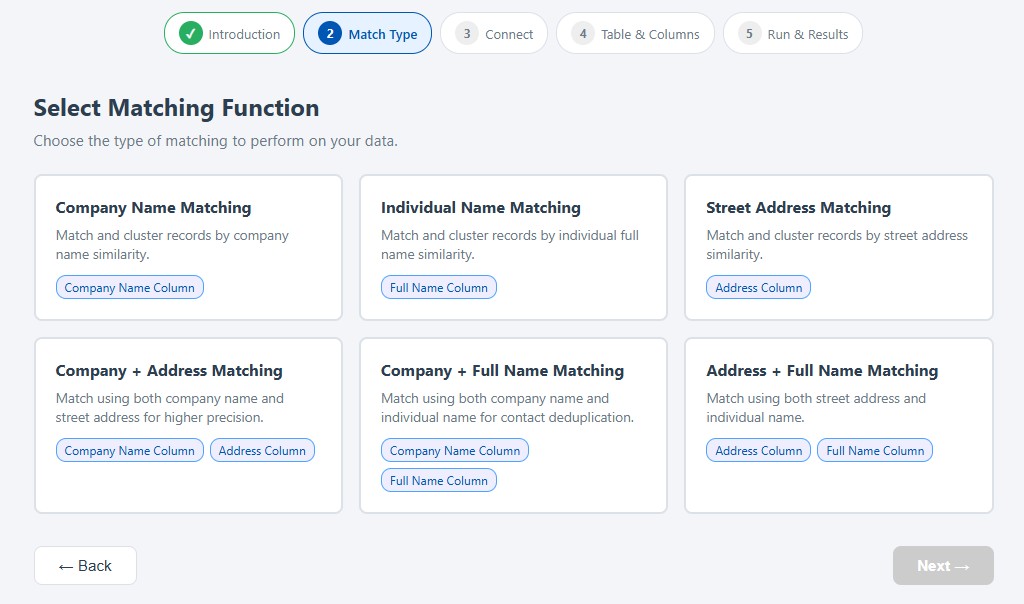
The Snowflake Data Matching Wizard turns what could be a complex data quality task into a guided workflow. The user does not need to export CSV files or manually recreate database object names. Instead, the wizard uses a cascading connection flow that discovers available Snowflake resources and presents them through dropdown menus.
- Enter an Interzoid API key to access the matching functionality.
- Choose a matching function, such as company name, individual name, address, or a combination match.
- Connect to Snowflake using the account identifier, username, password, and selected warehouse.
- Select the database, schema, and table using dropdowns populated from the Snowflake account.
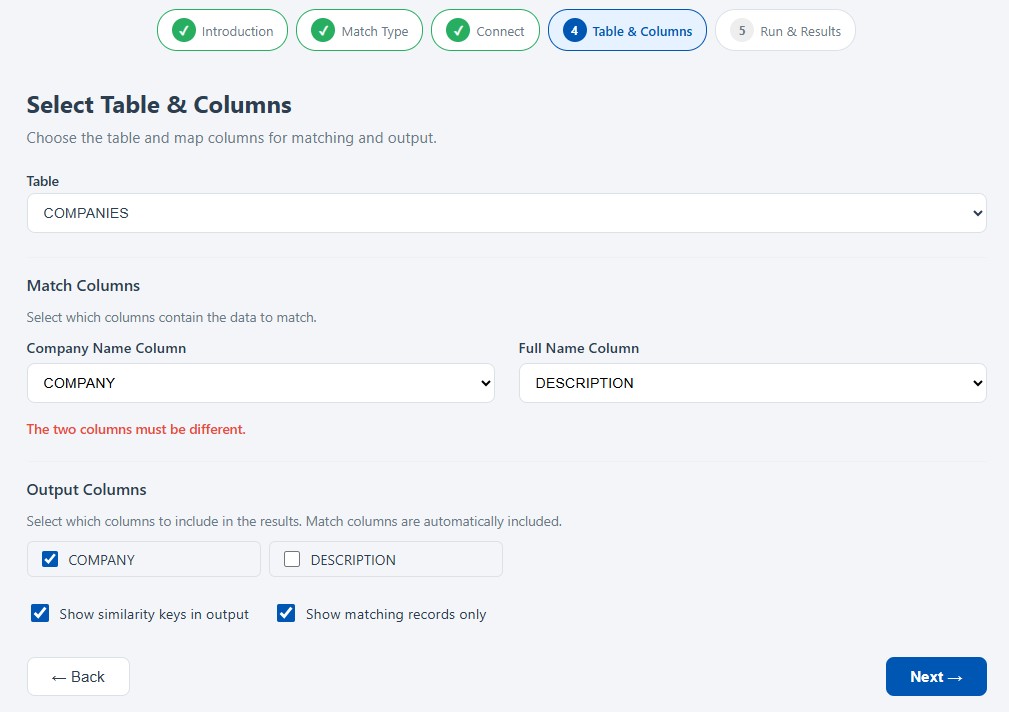
- Choose match columns and output columns to control what is analyzed and what appears in the report.
- Run the match job to process records through Interzoid's matching algorithms.
- Review matching clusters in the results panel and download the output as a CSV file.
Each output cluster groups records that have been identified as likely matches. When similarity keys are included, records sharing the same key are considered part of the same match group. This makes the output useful for analysis, review, pipeline integration, and downstream business workflows.
Practical Snowflake Use Cases
Fuzzy matching can create value anywhere Snowflake contains inconsistent or duplicated entity data. The use cases are especially powerful when organizations are already investing in Snowflake as a strategic data platform and want more reliable results from the data they have already centralized.
- Customer 360 and account consolidation: identify duplicate customer, account, and organization records across CRM, billing, and operational tables.
- Sales and marketing analytics: improve lead-to-account matching, campaign attribution, segmentation, and account-based marketing workflows.
- Vendor and supplier management: group similar vendor names and addresses across procurement, ERP, and third-party data sources.
- M&A and system migration: reconcile company, customer, supplier, or contact records when combining datasets from different businesses or platforms.
- Data warehouse cleanup: discover hidden duplicates inside Snowflake tables before reporting, modeling, enrichment, or AI initiatives.
- AI-ready data preparation: create a more reliable entity foundation for retrieval, agentic workflows, automated decisions, and model-driven applications.
Why This Improves Snowflake Data ROI
Snowflake ROI increases when the data warehouse becomes more than a storage and query platform. It becomes more valuable when the data inside it is easier to trust, make consistent, analyze, enrich, and operationalize. Fuzzy matching is a practical way to move toward that goal because it addresses one of the most common data quality problems: the inability to identify when two non-identical records refer to the same or similar real-world entity.
Better Analytics
Reduce duplicate-driven distortion and improve confidence in dashboards, reports, and analytical models.
Better Operations
Improve customer, supplier, address, and contact data used in business processes and workflows.
Better AI Readiness
Build AI and automation on a cleaner entity foundation with more reliable groupings and context.
Better Data Leverage
Increase the value of data already stored in Snowflake without requiring a disruptive platform replacement.
Security and Deployment Considerations
The Snowflake Data Matching Wizard is designed to connect directly to Snowflake through a browser-based workflow. Users select the Snowflake warehouse, database, schema, table, and columns to be processed. Snowflake passwords are not stored in the browser and are sent over HTTPS for connection and discovery requests during the active session.
Organizations that want a more controlled sharing model can also use Snowflake Reader Account patterns, where a Snowflake administrator creates a read-only account and shares only the data required for matching. This allows the organization to control access, limit scope, and avoid broad credential sharing.
Getting Started
A practical starting point is to choose one Snowflake table where duplicate or similar records are already suspected. Customer accounts, company names, supplier lists, contact names, and address tables are good candidates. From there, the Snowflake Data Matching Wizard can be used to generate a match report and evaluate the quality of the matching results before moving toward broader pipeline or API-based usage.
- Register for an Interzoid API key.
- Open the Snowflake Data Matching Wizard.
- Select the matching function that fits the dataset.
- Connect to Snowflake and choose the warehouse, database, schema, table, and columns.
- Generate a match report and review the matching clusters.
- Use the results to support deduplication, entity resolution, analytics, enrichment, or AI-ready data preparation.
Snowflake can centralize enterprise data, but better Snowflake ROI depends on the quality and usability of the data inside it. When similar companies, people, addresses, vendors, customers, or accounts are fragmented across records and tables, the business cannot fully trust the results of its analytics, automation, or AI initiatives.
Interzoid helps improve that foundation by applying AI-powered fuzzy matching directly to Snowflake data. Whether used through the browser-based Snowflake Data Matching Wizard or through API-based automation, Interzoid makes it easier to discover matching clusters, reconcile similar records, and create more trusted data assets across the organization.
Better matching leads to better data. Better data leads to better analytics, better operations, better AI readiness, and better return on the Snowflake investment organizations have already made.
Launch Snowflake Data Matching Wizard | View Snowflake Matching Docs | View All APIs | Get an API Key