Email Trust Score with Interzoid: Global Coverage API + Interactive App 17 Languages
Interzoid’s Email Trust Score capability helps you assess whether an email address is legitimate, suspicious, or high-risk—using AI-driven analysis and global data signals. It is designed for fraud prevention, account protection, onboarding validation, and trust workflows.
You can access Email Trust Score in three practical ways:
- Interactive application: enter an email address and instantly view its trust score and risk explanation.
- API integration: enrich email addresses programmatically at scale.
- GUI integration via parameters: pass
emailand optionallanguageparameters from your own UI to display localized trust results.
Add an optional
language parameter to return risk explanations in one of
17 supported languages, ideal for global fraud and support teams.
What You Get: Sample Trust & Risk Data
The Email Trust Score response includes both structured risk indicators and human-readable reasoning to support automated decisions and analyst review. Common data elements include:
- Email Trust Score (0–100)
- Risk Level (e.g., low, medium, high)
- Disposable / Temporary Email Detection
- Domain Reputation Signals
- Fraud & Abuse Indicators
- AI-Generated Risk Explanation
Many teams store the numeric score and risk flags for automation, while surfacing the explanation text in dashboards for fraud review and support workflows.
Interactive Email Trust Score GUI
The interactive GUI allows users to enter an email address and instantly view trust, risk, and reasoning information powered by the Interzoid API.
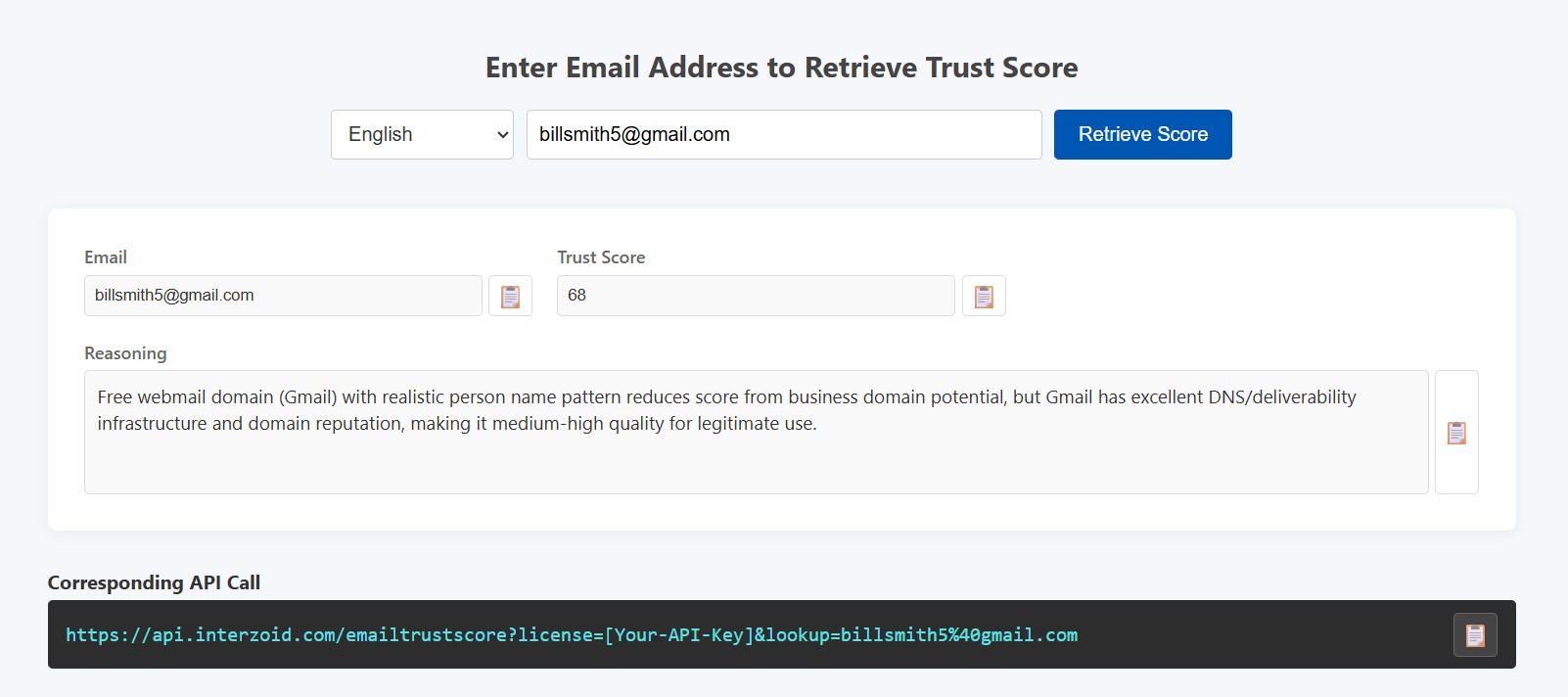
This interface can be embedded into internal fraud tools, customer support dashboards, or admin consoles, while the same scoring logic remains accessible via direct API calls.
Use It as an Interactive Application
Here is a sample interactive UI workflow:
- Users enter an API key and an email address to evaluate.
- Users optionally select a language for localized risk explanations.
- The UI calls the Email Trust Score API and renders the trust score and reasoning.
- For convenience, the API key and selected language can be saved locally in the browser.
This approach is ideal for fraud analysts, customer support teams, trust & safety operations, and internal review workflows.
Use It as an API
To score an email address, call the Email Trust Score endpoint using the
email parameter. Optionally add
language to localize explanatory text.
Example: Basic request
https://api.interzoid.com/emailtrustscore?license=YOUR_API_KEY&email=test@example.com
Example: Localized response
https://api.interzoid.com/emailtrustscore?license=YOUR_API_KEY&email=test@example.com&language=fr
The
language parameter is optional.
English is the default, making localization easy without backend changes.
Integrate into Your Own GUI with Parameters
Email Trust Score can be embedded into existing applications using simple parameters:
- Bind input fields to an
emailvalue. - Bind language selectors to a
languagevalue (optional). - Load and render trust results directly inside your UI.
This is especially effective for signup flows, lead qualification, vendor onboarding, and abuse prevention systems.
17 Supported Languages
Risk explanations and UI labels can be localized using the same 17 supported languages via two-letter codes:
Interzoid Email Trust Score enables organizations to reduce fraud, improve trust decisions, and protect systems globally—using an interactive application, a scalable API, or embedded GUI integrations.
Start with a free trial key:
Visit the API Registration page
to create an account and get an API key for trial usage.